

 Data-free
Phone to Phone Sharing
Data-free
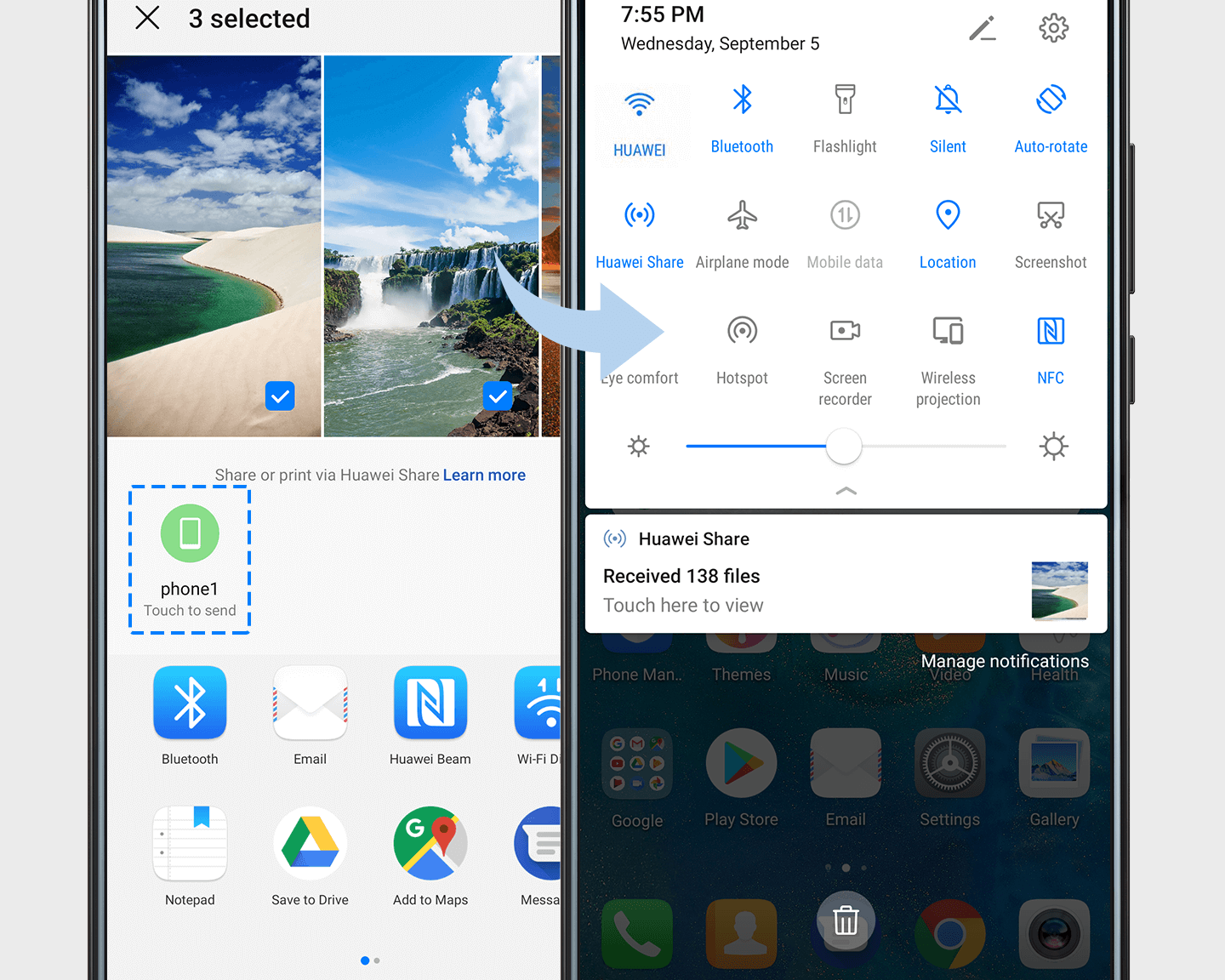
Phone to Phone SharingUse Huawei Share to send files between Huawei phones in a flash. Send up to 100 documents or 500 photos at a time.
On both phones:
1. Swipe down the status bar to display all shortcuts.
2. Touch Huawei Share to turn it on.
On your phone:
1. Open your file and touch the Share icon at the bottom of the screen.
2. Touch the icon for the other phone to share.
A notification will pop up on the other phone, just touch ACCEPT.