
Shortcut Switches
Applicable products:
HUAWEI P20(single sim card 4 gb + 128 gb、dual sim card 4 gb + 128 gb)
Applicable system:
EMUI 10.0
Applicable products:
Applicable system:
The following are the search results, Please select
Unable to find the result, Please select again.
| Shortcut Switches |
Turn on a Shortcut Switch
Swipe down from the status bar to open the notification panel, then swipe down on it again to show all shortcuts.
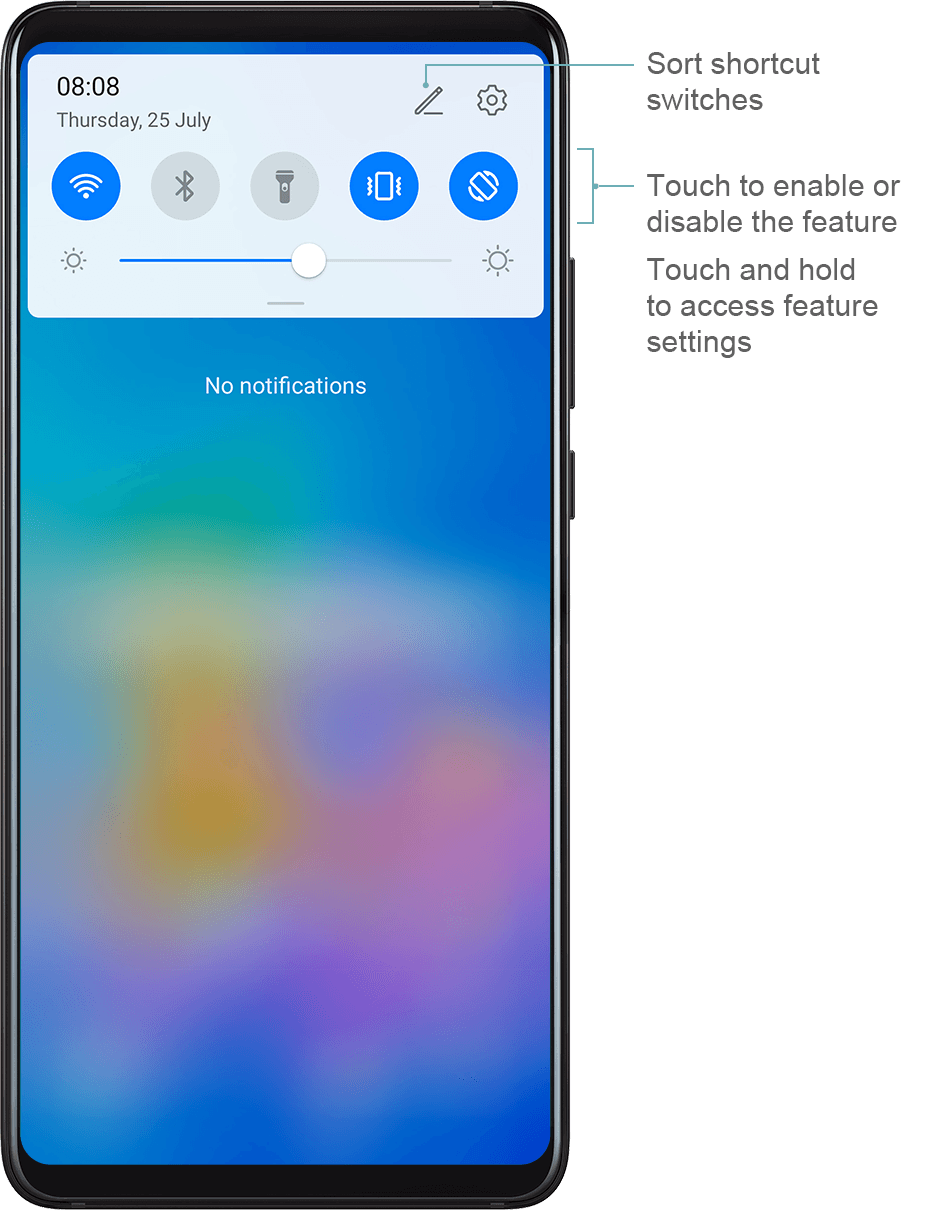
Touch a shortcut switch to enable or disable the corresponding feature.
Touch and hold a shortcut switch to enter the settings screen for that feature.
Touch
 to open Settings.
Customise Shortcut Switches
Touch  , touch and hold an icon, then drag it to the desired position.
Thanks for your feedback.