Get to Know HUAWEI PaperMatte Displays

Tablet Productivity Powered by AI
Learn More

Aug 2024
OLED PaperMatte Display
Jul 2025
Eye-soothing PaperMatte Display
Aug 2025
UItra-clear PaperMatte Display
Getting to Know HUAWEI PaperMatte Display Family
Learn MoreAI Productivity
Eye Comfort

Getting to Know
HUAWEI PaperMatte Display Family
In this article:
History of HUAWEI PaperMatte Displays

History of HUAWEI PaperMatte Displays

Benefits of HUAWEI PaperMatte Displays
Benefits of HUAWEI PaperMatte Displays
Choosing the HUAWEI PaperMatte Display That's Right for You
Choosing the HUAWEI PaperMatte Display That's Right for You
History of HUAWEI PaperMatte Displays
Prolonged tablet viewing can lead to eye strain due to blue light exposure and screen glare. To address this, HUAWEI unveiled its groundbreaking line of PaperMatte Display tablets, which offer anti-glare and anti-reflection properties, resulting in a clear comfortable view over the long haul.
Mar 2023
Jun 2024
Aug 2024
Jul 2025
Aug 2025
PaperMatte Display
LCD Screen | Anti-glare & Anti-fingerprint |
First-ever PaperMatte Display Tablet
Enhanced PaperMatte Display
LCD Screen |
Nanoscale Magnetron Optical Coating Technology |
Anti-glare & Anti-reflection & Anti-fingerprint |
PaperMatte Display Trademark Registration
OLED PaperMatte Display
OLED PaperMatte Display Debut |
All-new Anti-sparkle Technology |
Anti-glare & Anti-reflection & Anti-fingerprint
Eye-soothing PaperMatte Display
LCD Screen |
Circular Polarisation Technology |
Natural Light-like Eye Comfort |
Anti-glare & Anti-reflection & Anti-fingerprint
Ultra-clear PaperMatte Display
LCD Screen |
High Precision Nanoscale Anti-glare Etching Technology |
Reduced Surface Sparkle & Enhanced Clarity |
Anti-glare & Anti-reflection & Anti-fingerprint
Benefits of HUAWEI PaperMatte Displays

Tired of Screen Glare? Go for PaperMatte Display
HUAWEI PaperMatte Displays stay clear even under intense lighting, reducing eye strain and enhancing visual comfort.
PaperMatte Display
Anti-glare, eye comfort
Normal Display
Screen glare, eye strain

Need Pen-on-Paper Writing on Screen? Go for PaperMatte Display
HUAWEI PaperMatte Displays recreate the sound and sensation of pen on paper, making screen-based writing more satisfying than ever, thanks to its nanoscale structures surface.
Choosing the HUAWEI PaperMatte Display That's Right for You
OLED PaperMatte Display
Description:
Our premium flagship tablets feature a large OLED screen with professional colour accuracy, ultra-high peak brightness, and high screen-to-body ratio of up to 94%, making it perfect for high-powered professionals.Ideal for:
Professional art creation, outdoor creation, business workAvailable Models:
UItra-clear PaperMatte Display
Description:
HUAWEI Ultra-clear PaperMatte Display is bolstered by an all-new High Precision Nanoscale Anti-glare Etching Technology, which reduces sparkle, for enhanced clarity , detail, and visual immersion across the board.Ideal for:
Mobile office, document editing, hobby paintingAvailable Models:
Eye-soothing PaperMatte Display
Description:
HUAWEI Eye-soothing PaperMatte Display introduces Circular Polarisation Technology, which simulates the effects of natural light to create a softer and more even view, with less eye strain even after intensive use.Ideal for:
Online learning, note-taking, reading, audiovisual entertainmentAvailable Models:
Tablet Productivity Powered by AI


WPS Office AI ¹, PC-level Productivity to Go
Your All-in-one Office Intelligent Assistant
Documents. Spreadsheets. Presentations. PDFs. WPS Office AI handles them all with PC-level speed and precision.¹Write smarter
Design faster
Analyze easier³
EWPS Docs AI | Input your prompt to instantly generate a first draft, with adjustable tone and style controls, plus the ability to expand short ideas into more detailed content.
WPS Slides AI | Turn ideas into structured outlines and full presentations. With HUAWEI M-Pencil Pro, swipe on the stylus to flip pages without touching the screen.²
WPS Sheets AI | Type your request and get things done, generate formulas, insert charts, and more, turning complex tasks into simple actions and boosting efficiency.

Brilliant Notes. Pure Productivity.
Your notes just got smarter with AI.
Speech-to-text³
AI Tutor³
AI equation recognition⁴
AI handwriting enhancement⁴
Record it. Transcribe it. Automatically. Transform meetings, lectures, or brainstorming sessions into text with speaker recognition so you always know who said what, boosting your note-taking efficiency with ease.
Circle it. Solve it. With steps. Snap or write a problem across math, physics, chemistry, and more, circle it to get step-by-step solutions so you truly master the process. More than just the answer.
Circle it. Solve it. Effortlessly. Calculate result instantly. Write an equation in your notes and circle it to see the final result instantly, so you can easily check it against your own work and boost learning efficiency.
Write it. Circle it. Messy to neat. Turn your handwritten scribbles into beautiful strokes. Just circle your writing to transform it instantly, making your meeting notes or study notes clear and organized.

Go Create. Go Wild. GoPaint.
Easy to start. Endless to explore.
Intelligent Color Card
Effortlessly extract colors from any image and turn them into beautiful palettes with the Intelligent Color Card, bringing your best work to life in rich, vivid color and unleashing your creative potential.

HUAWEI MatePad Air
Buy Now2.This feature is only available on select Huawei tablet models. To use it, your HUAWEI M-Pencil Pro firmware must be 1.0.0.141 or later. Available on WPS Slides only. More apps will be supported via OTA updates.
3.Only certain Huawei tablets support this feature. To use this feature, ensure your tablet is running HarmonyOS 4.3.0.110 or later, and HUAWEI Notes is updated to version 12.4.3.474 or later. For AI Tutor, also update Gauth to version 2.6.0 or later via AppGallery. Actual experience may vary.
4.Only certain Huawei tablets support this feature. To use this feature, make sure that your tablet is connected to the Internet and HUAWEI Notes is running 12.4.3.420 or later. Actual experience may vary.
Note: These AI features are only available on select Huawei tablet models. Please check the supported features for your specific model before purchase.

Productividad
Tu lugar de trabajo estés donde estés

Creatividad
Da rienda suelta a tu pasión por el arte

Aprendizaje
Tu mejor aliada para un aprendizaje más inteligente

Entretenimiento
Sumérgete en la emoción con pura diversión.

Aprendizaje
La mejor compañera de estudio
HUAWEI Notes cuenta con herramientas útiles como la Reproducción de Notas, que te ayuda a recordar contenido rápidamente y repasar de manera más eficiente después de clase. La función Forma Instantánea1 facilita dibujar patrones y enderezar formas en tiempo real, para que puedas estudiar intensamente sin esfuerzo. También puedes usar la herramienta de lazo para seleccionar tu escritura a mano y mejorarla con la fuente deseada tocando la función de Mejora de escritura a mano2 .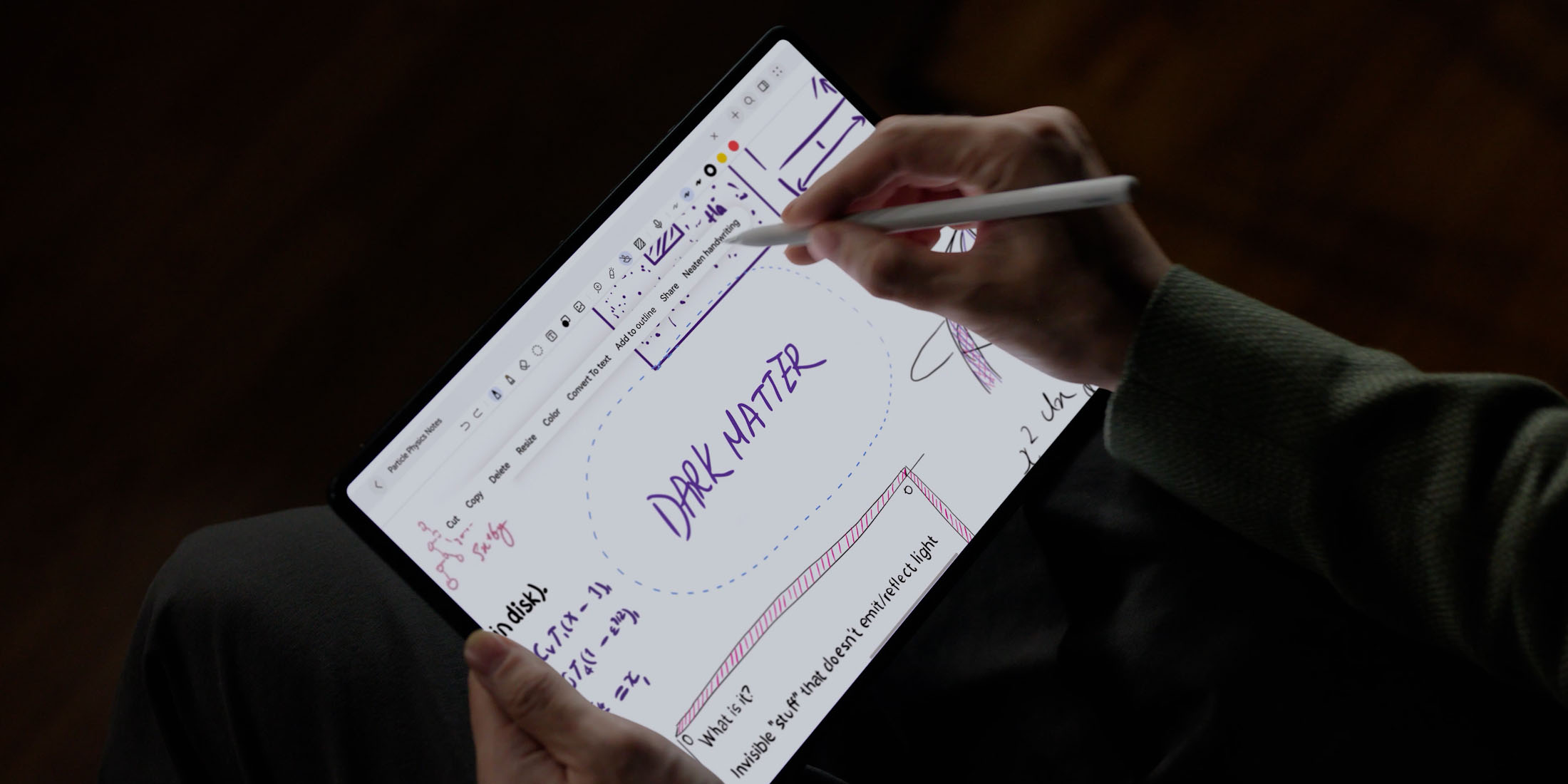


Pantalla PaperMatte: comodidad similar al papel.
La Pantalla PaperMatte proporciona efectos de lectura similares al papel. Elimina el 99%3 de la interferencia de luz externa, a la vez que reduce la reflectividad de la pantalla y protege mejor la vista. El resultado es una visualización clara, nítida y colorida de todo tu contenido favorito.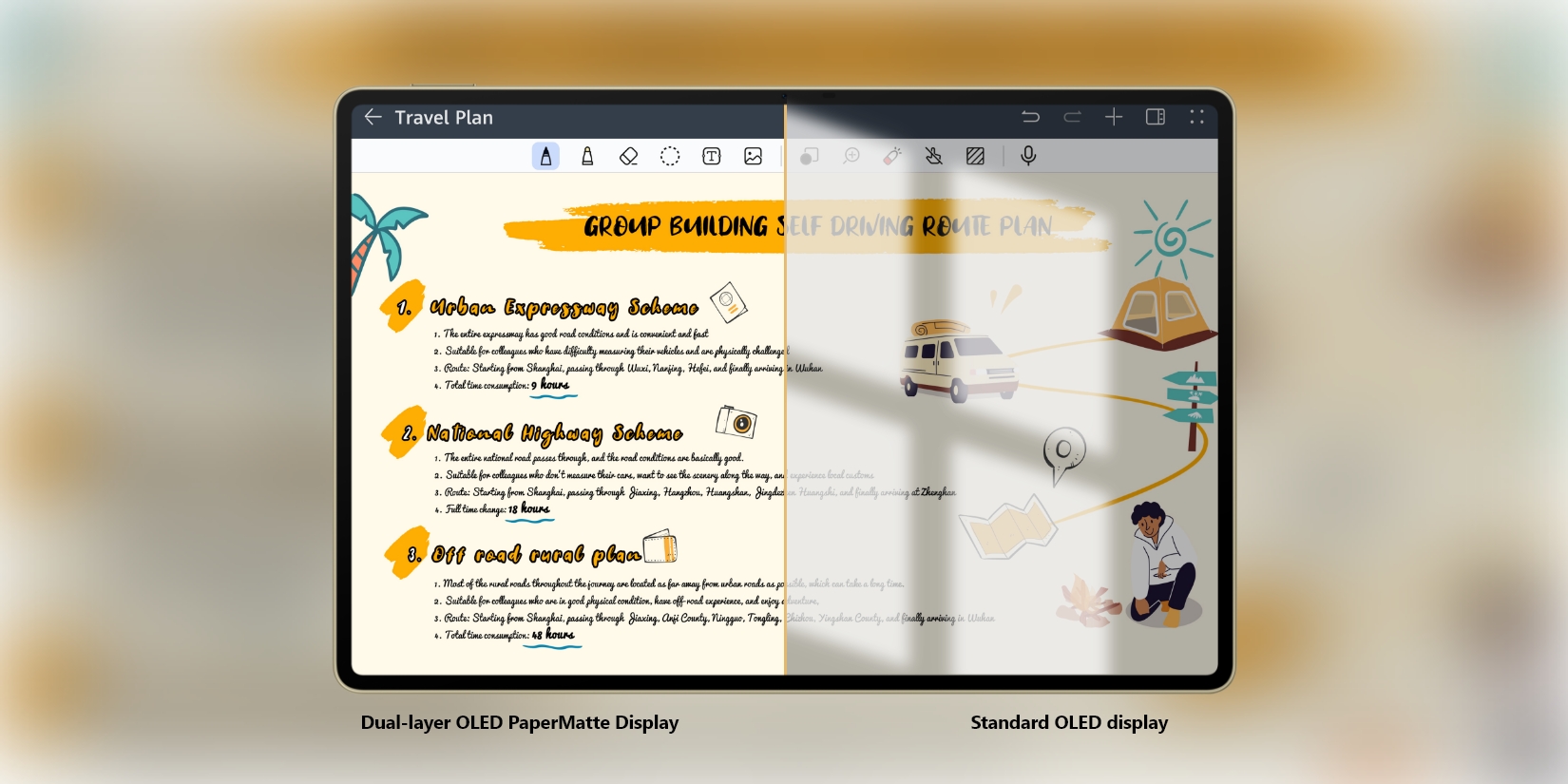
Eficiencia mejorada con Ventanas múltiples.
Toma notas durante un curso en línea, edita correos electrónicos mientras estás participando en una conferencia y arrastra archivos entre el teléfono y la tableta. La MatePad tiene una gran cantidad de herramientas, como Ventanas múltiples y SuperHub4 , para que todas tus tareas arduas sean más simples.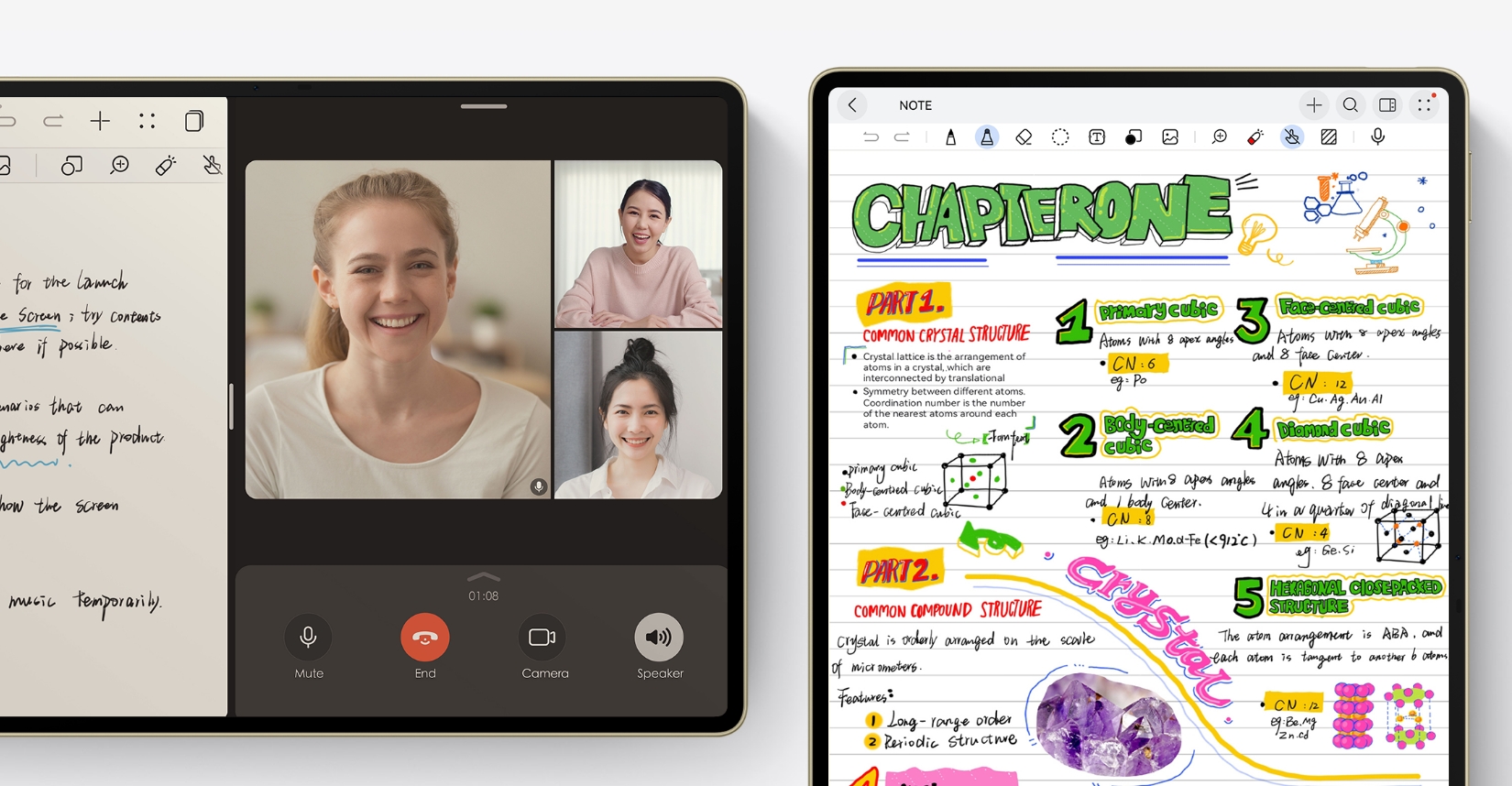

HUAWEI MatePad 11.5
Comprar- 1. Esta función solo se admite en determinadas tabletas Huawei con HarmonyOS 4 o versiones posteriores. Prevalecerá el uso real.
- 2.La mejora de escritura a mano con IA solo es compatible con chino e inglés. Para usar esta función, configura el idioma del sistema a chino o inglés.
- 3. Los datos provienen de pruebas realizadas en laboratorios de Huawei en entornos de exteriores simulados sin interferencias. Debido a que la luz ambiente puede variar en gran medida, la proporción real de interferencia de luz reducida variará según el entorno.
- 4. Esta función solo se admite en determinadas PC Huawei con PC Manager 13.0.3 o versiones posteriores, determinados teléfonos Huawei con EMUI 13.1 o versiones posteriores y determinadas tabletas con HarmonyOS 3 o versiones posteriores. Se debe haber iniciado sesión en el mismo ID de HUAWEI en ambos dispositivos, con Bluetooth y Wi-Fi habilitados. Solo determinadas aplicaciones, texto e imágenes se adaptan a esta función. La experiencia real prevalecerá.
Productividad
Tu dispositivo todo en uno.
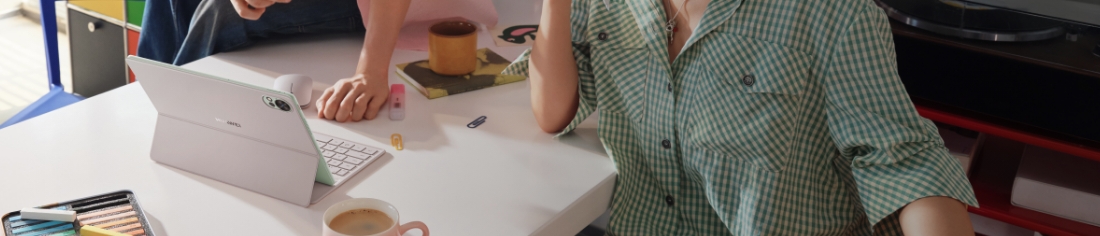
Al ser más liviana que una revista de moda, incluso con un teclado, la MatePad te permite viajar liviano y con estilo. La tecnología Nearlink proporciona conexiones de teclado estables y de baja latencia, y la gran superficie del panel táctil se ve potenciada por una gama de atajos de gestos ingeniosos.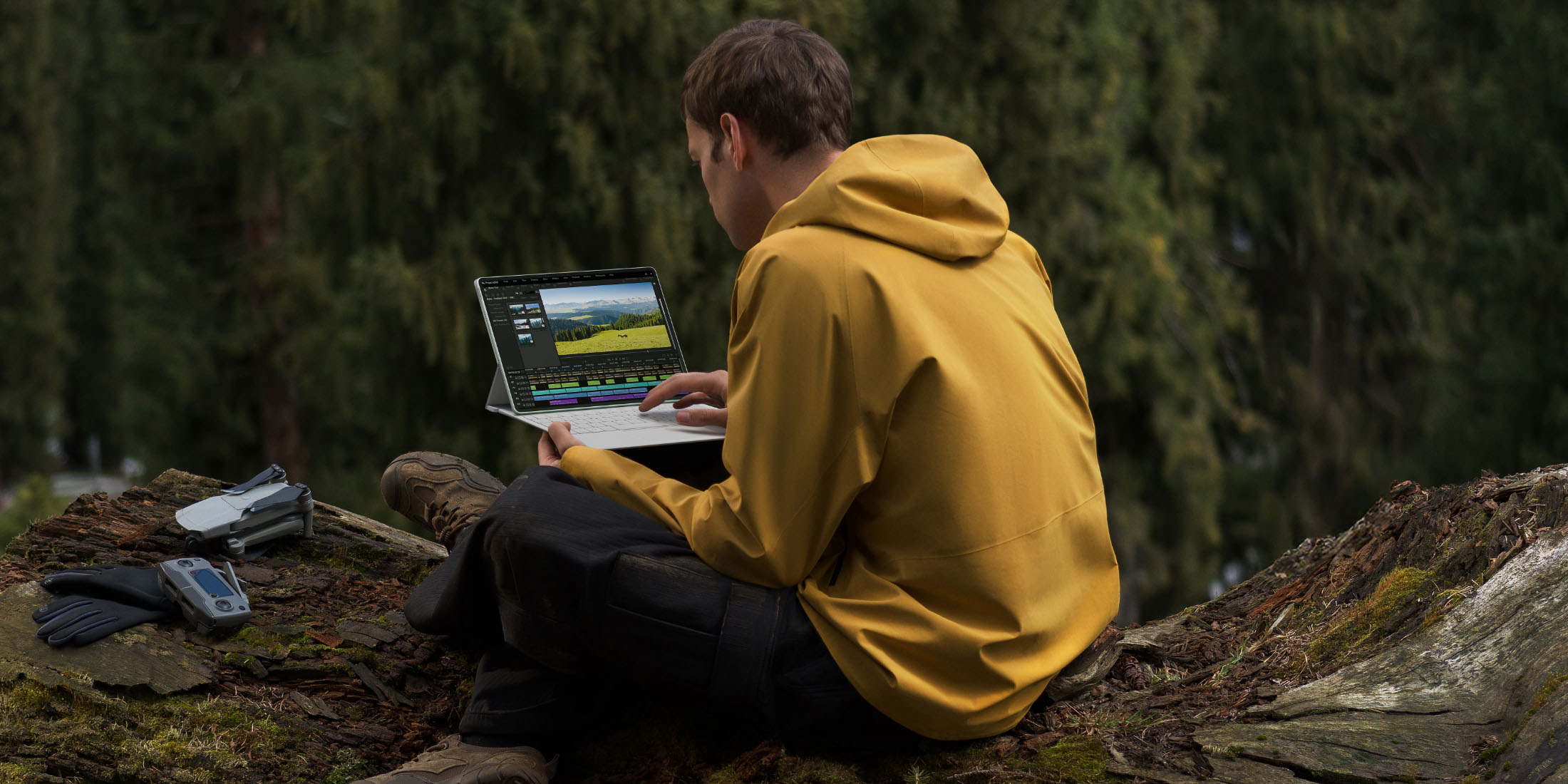
Tareas de oficina: totalmente sencillas.
El software WPS Office2 para PC de MatePad lleva la interfaz y el diseño familiares de un portátil a la pantalla de una tableta, y es aún mejor con el lápiz óptico M-pencil, que facilita marcar y resaltar lo que necesites.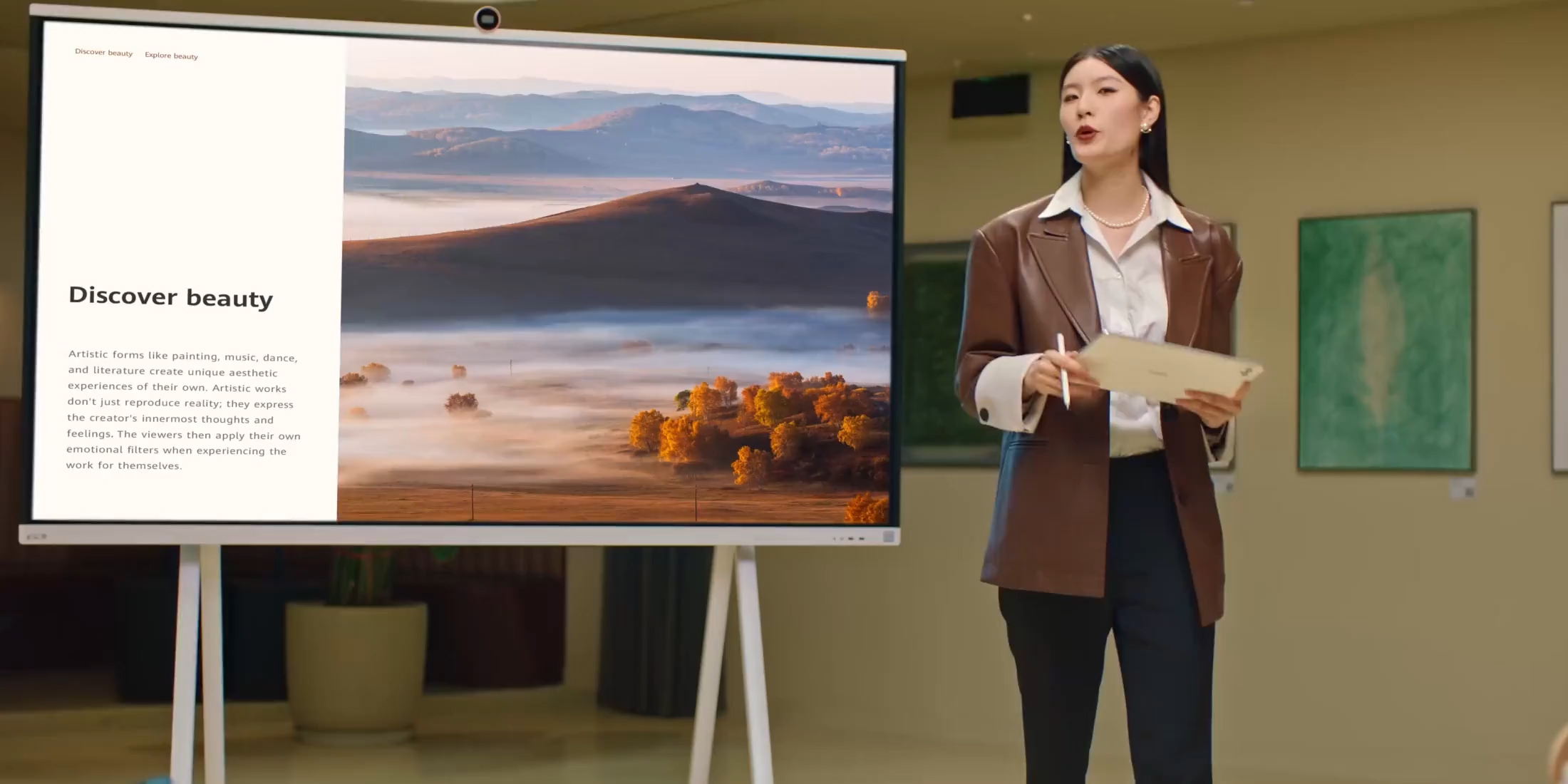
Trabaja más rápido con Multitarea en Vivo.
Live-Multitask3 te permite utilizar completamente las pantallas grandes de las tablets y manejar múltiples aplicaciones sin interrupciones, como en una PC. En este modo, puedes operar hasta tres aplicaciones al mismo tiempo. Con solo un toque, puedes cambiar el tamaño de las ventanas de las aplicaciones o alternar entre ellas mientras comparas precios, navegas por la web o chateas en redes sociales.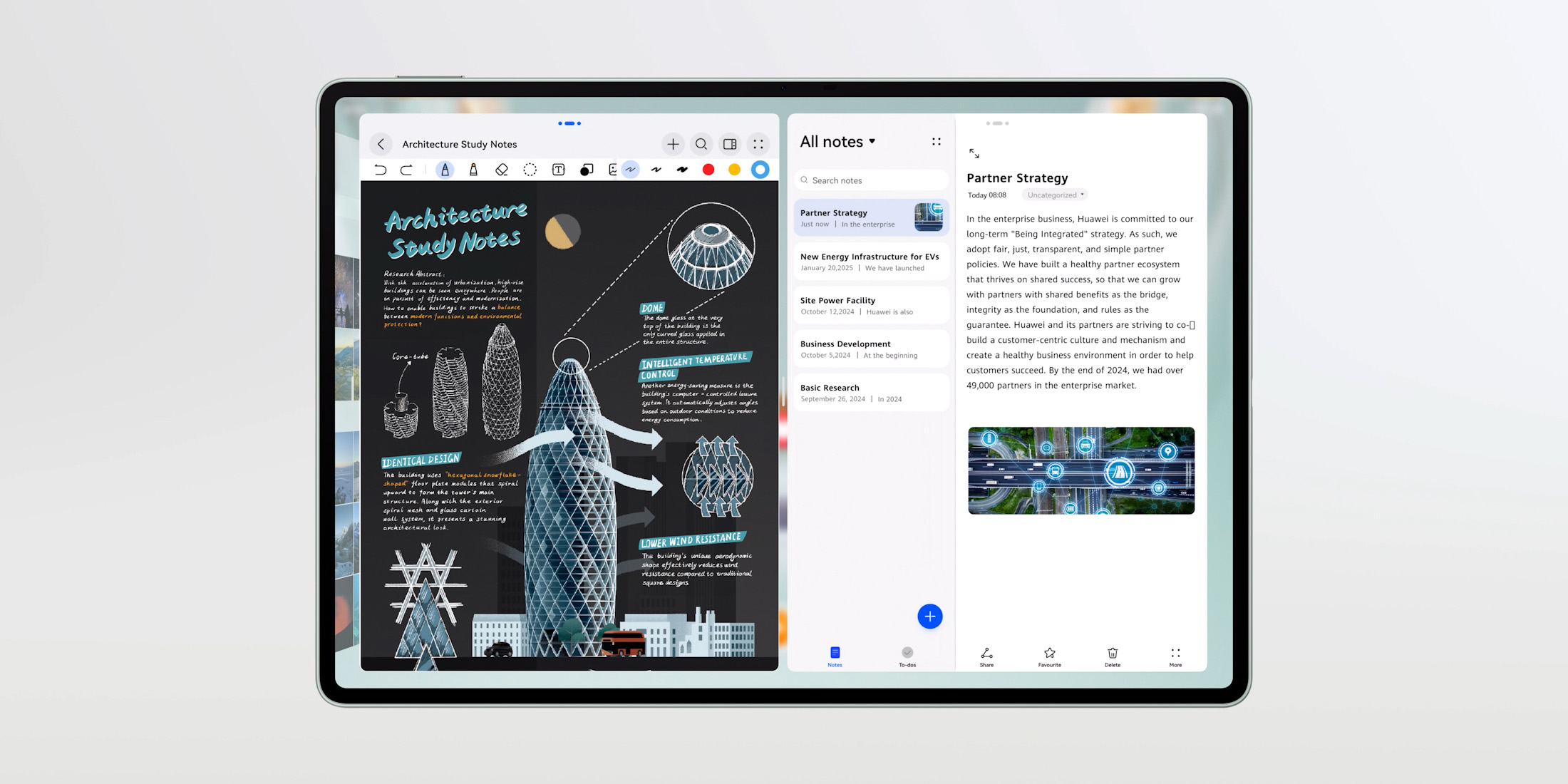
HUAWEI MatePad 12 X
Comprar- 1. Esta función solo se admite en determinadas tabletas Huawei.
- 2. Esta función solo se admite en determinadas tabletas Huawei con HarmonyOS 4 o versiones posteriores./ Esta función solo está disponible en determinados países y en determinadas regiones. Las funciones compatibles pueden cambiar sin previo aviso debido a cambios en las asociaciones, autorizaciones, condiciones comerciales y consideraciones técnicas.
- 3.Esta característica es compatible con ciertas tablets MatePad y depende de la adaptación de las aplicaciones. La experiencia real puede variar. Para usar esta característica, actualiza tu tablet a su última versión mediante una actualización HOTA.
Creatividad
Una pantalla increíble que despierta una inspiración simplemente brillante.
Realizar creaciones artísticas en una pantalla PaperMatte no requiere esfuerzo gracias a su textura a nanoescala y sutiles microvibraciones, que reproducen la sensación de un lápiz o un pincel sobre papel. El HUAWEI M-Pencil se empareja sin problemas gracias a la poderosa tecnología NearLink y proporciona más de 10,000 niveles de detección de presión, para que el más mínimo cambio de intensidad genere el trazo deseado.
Crea todo lo que desees con GoPaint.
La aplicación GoPaint1 , potente y fácil de usar, admite lienzos 8K2 , permitiendo que tu creatividad florezca libremente. Los pinceles incorporados no solo son excelentes en efecto, sino también divertidos de usar, como el Pincel de Pintura al Óleo 3D2 que ofrece profundidad y volumen mejorados, logrando un realismo inigualable que imita fielmente las auténticas pinturas al óleo. Además, la nueva función de Animación2 permite que tu pintura cobre vida capa por capa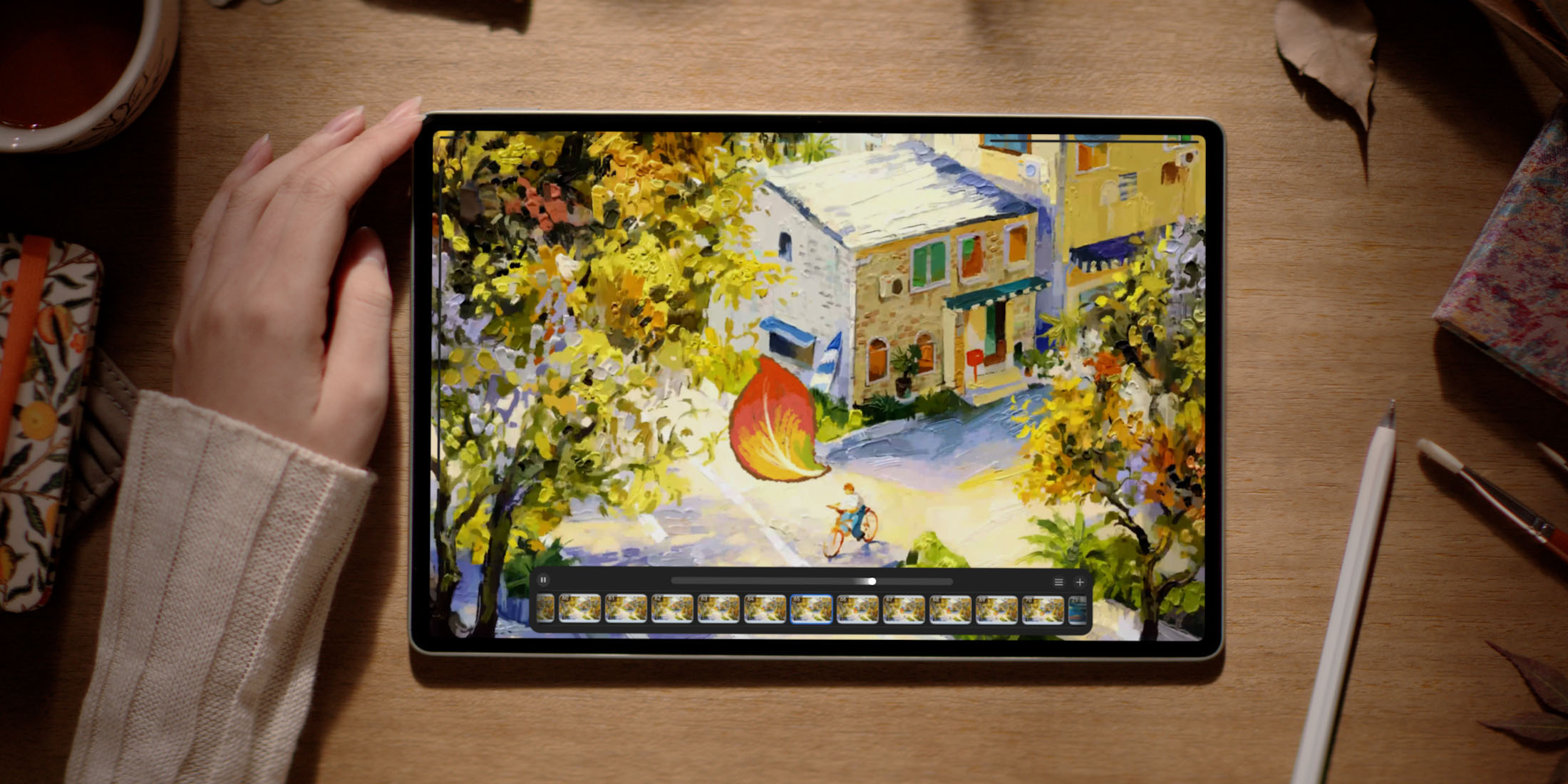
Más portátil que nunca
Delgada, liviana y con una visualización vívida incluso bajo la luz del sol, la MatePad es una block de dibujo portátil para uso en exteriores, que te permite desplegar tu creatividad en cualquier momento y lugar. También permite colaborar con otros dispositivos como una pantalla táctil y de escritura, por lo que el procesamiento gráfico es más fácil que nunca.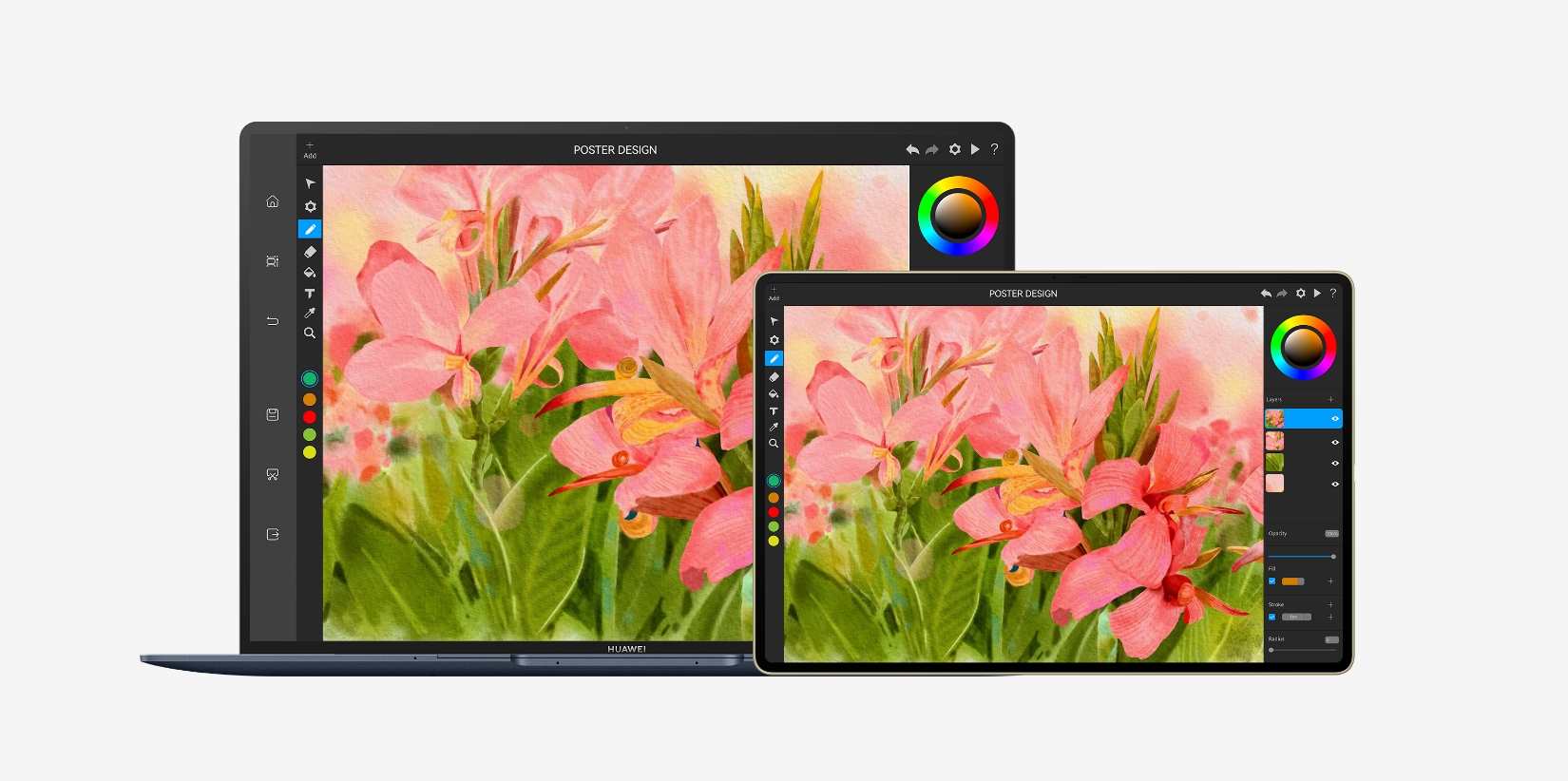

HUAWEI MatePad Pro 12.2"
Comprar- 1. La aplicación GoPaint solo es compatible con determinadas tabletas con HarmonyOS 4.2 o versiones posteriores. Para conocer detalles, mantente atento a los anuncios oficiales.
- 2.Esta característica requiere soporte de actualización OTA y solo es compatible con ciertas tablets HUAWEI MatePad Pro y HUAWEI MatePad Air. Para más detalles, por favor consulta la información oficial y la experiencia real.
Entretenimiento
Disfruta del entretenimiento con alto rendimiento.
Entretenerse y jugar nunca ha sido tan divertido. Los videojuegos funcionan sin interrupciones gracias a la pantalla de alta frecuencia de actualización1 de 144 Hz, mientras que la alta resolución mejora los detalles de las imágenes y ofrece una calidad de la imagen más nítida para disfrutar de una experiencia visual, vívida y realista.
Una maravilla multisensorial
HUAWEI SOUND genera audio impecable que es tan sutil como potente y proporciona diálogos claros y todas las texturas y tonos de tu música favorita, gracias a un arreglo de altavoces de múltiples controladores y a un campo de sonido estéreo calibrado profesionalmente.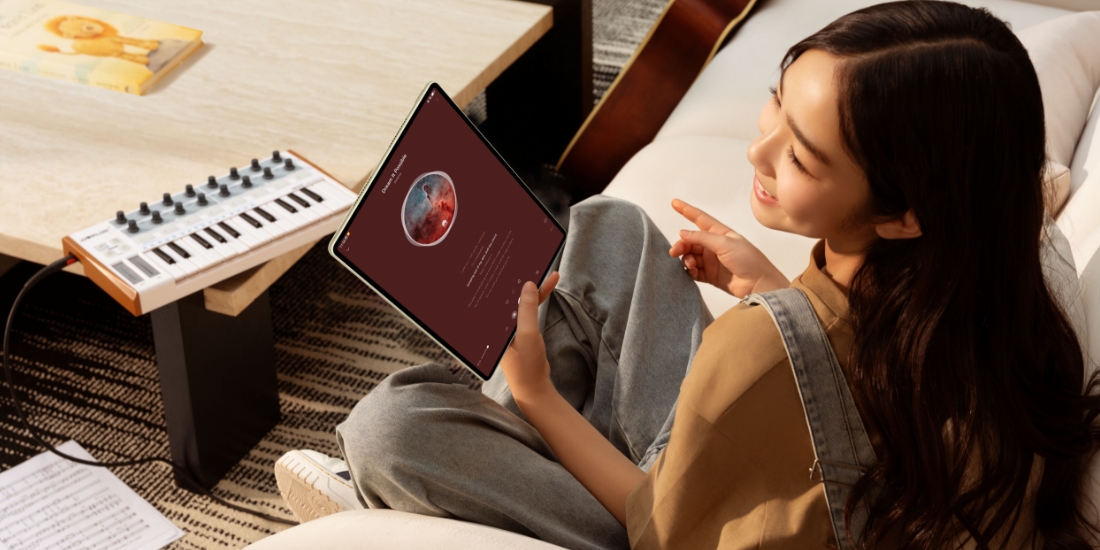
Recarga en caso de apuro para seguir en uso
La MatePad incluye una batería potente y HUAWEI SuperCharge, de 100 W, para una recarga casi instantánea cuando más lo necesites.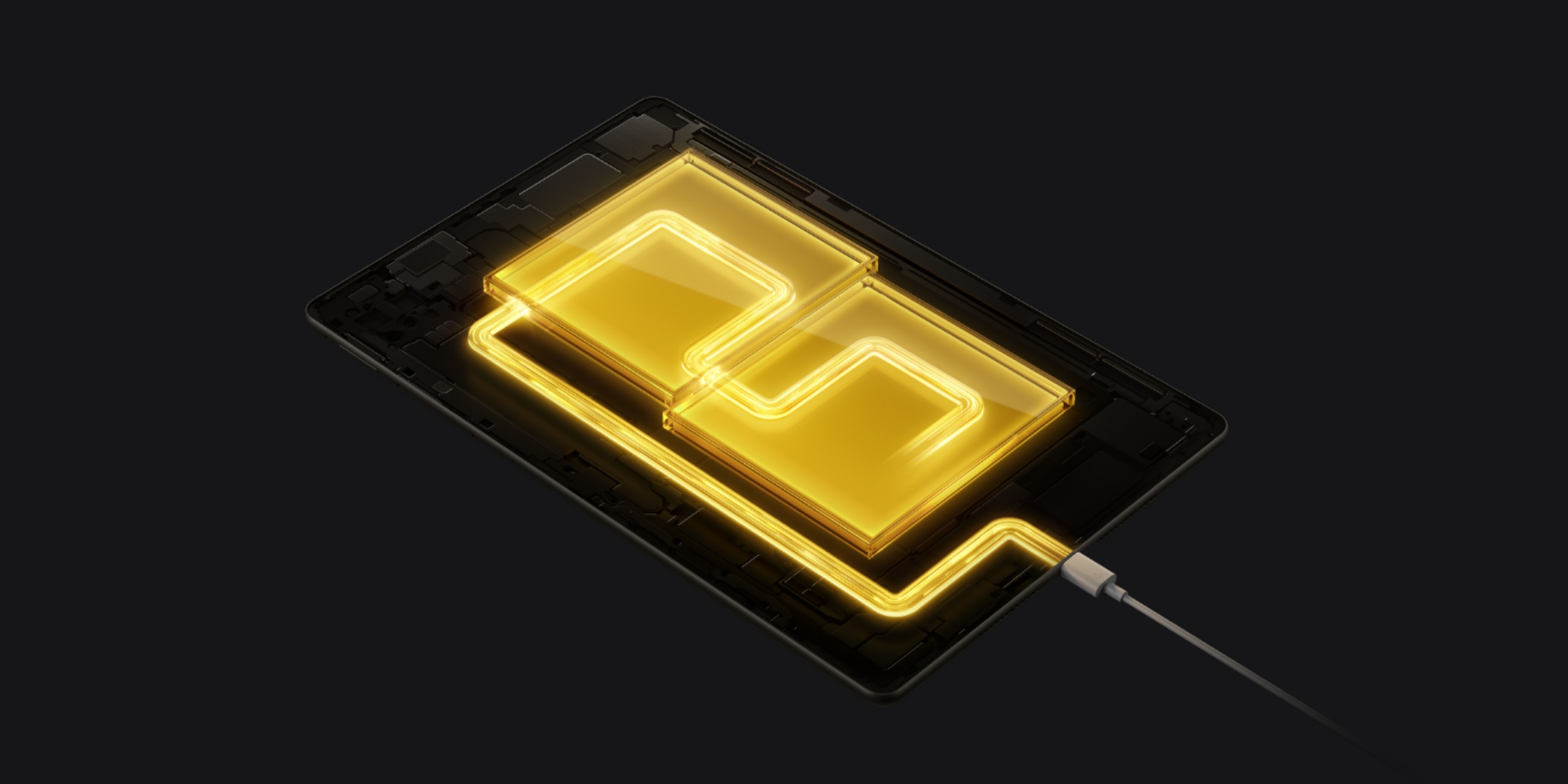
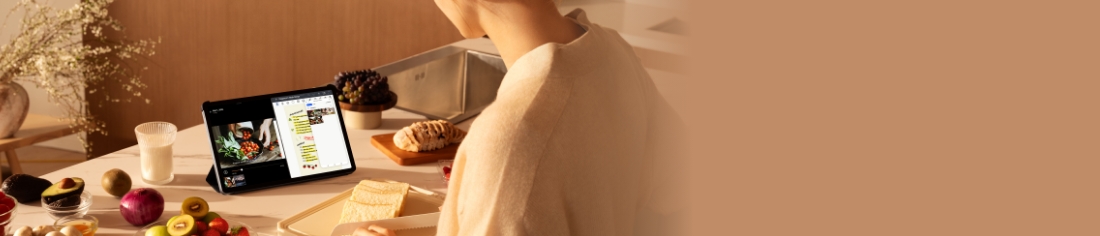
HUAWEI MatePad SE
Comprar- 1. Se admite una frecuencia de actualización máxima de pantalla de 144 Hz. La frecuencia de actualización de la pantalla puede variar según la aplicación o el juego específicos. “Pantalla FullView” es un término de uso común en la industria, que generalmente hace referencia a una pantalla de marcos estrechos y una alta relación pantalla-dispositivo.
- 2. Esta función solo se admite en determinadas tabletas Huawei.