
Changing the BIOS language
Applicable products:
HUAWEI MateStation X,PC,Desktop
Applicable system:
Unrelated to OS version
Applicable products:
Applicable system:
These are your search results, please select one
No results found, please select again
| Changing the BIOS language |
- When your computer is starting or restarting, press and hold or continuously press F2 to enter the BIOS Setup Utility screen.
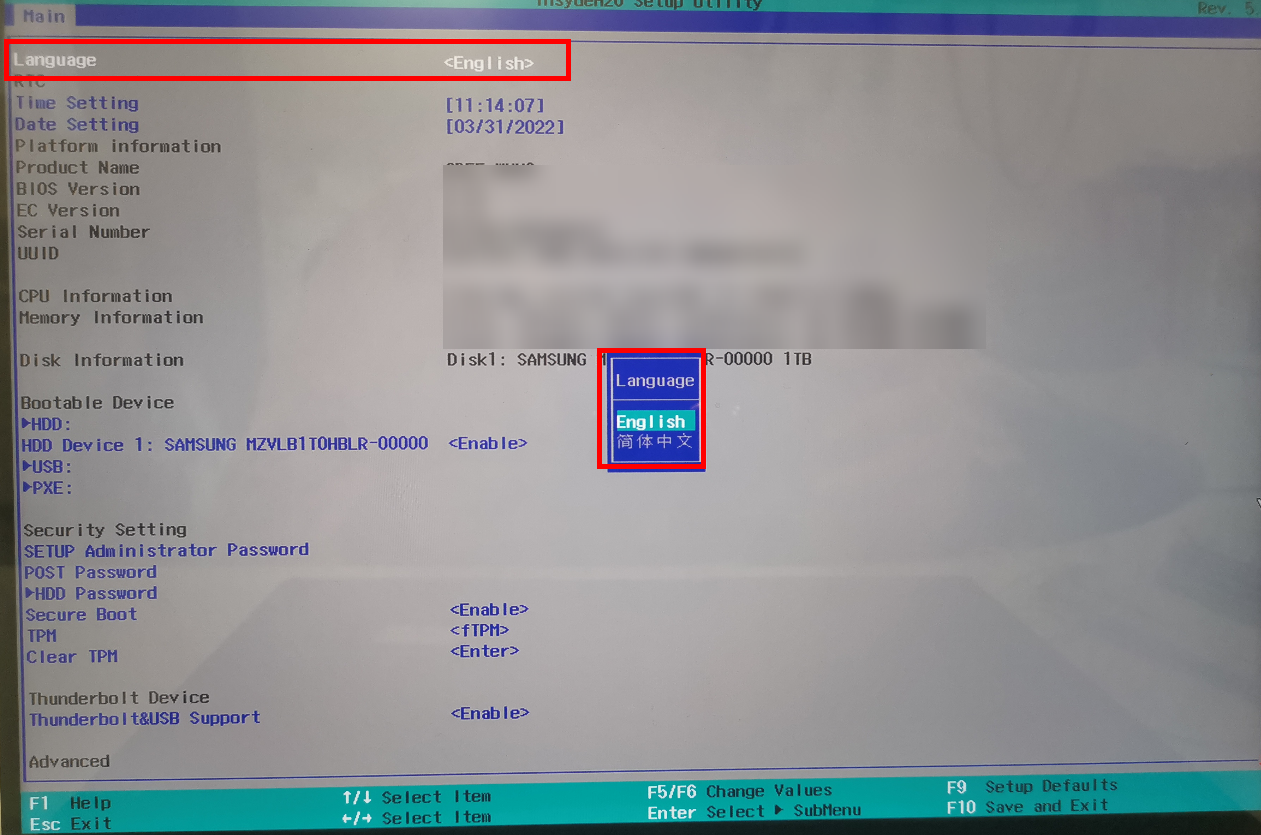
- Select Language, press Enter, and select your desired language from the displayed dialog box. Press Enter to confirm your selection, and press F10 to save the settings and exit.
Thanks for your feedback.