
Reset APNs on your phone
Applicable products:
Smartphone
Applicable system:
Magic UI 3.1.1, Magic UI 2.0.1, EMUI 9.1.1, EMUI 9.0.1, Magic UI 3.0, Magic UI 2.1, Android 8.1.0, Magic UI 2.1.1, Magic UI 3.1, EMUI 10.1.1, EMUI 10.0.1, Magic UI 2.0, EMUI 10.1, EMUI 10.0, EMUI 8.0, EMUI 8.1, EMUI 9.0, EMUI 8.2, EMUI 9.1, Magic UI 3.0.1
Applicable products:
Applicable system:
Results of query below
Unable to find results for the query, please try different key words
| Reset APNs on your phone |
APN (Access Point Names) is a network access technology. It is an essential configuration for mobile phones to access the Internet, and decides the access route.
If your phone cannot access the Internet or the network signal is unstable, you can try resetting APNs by following the steps below.
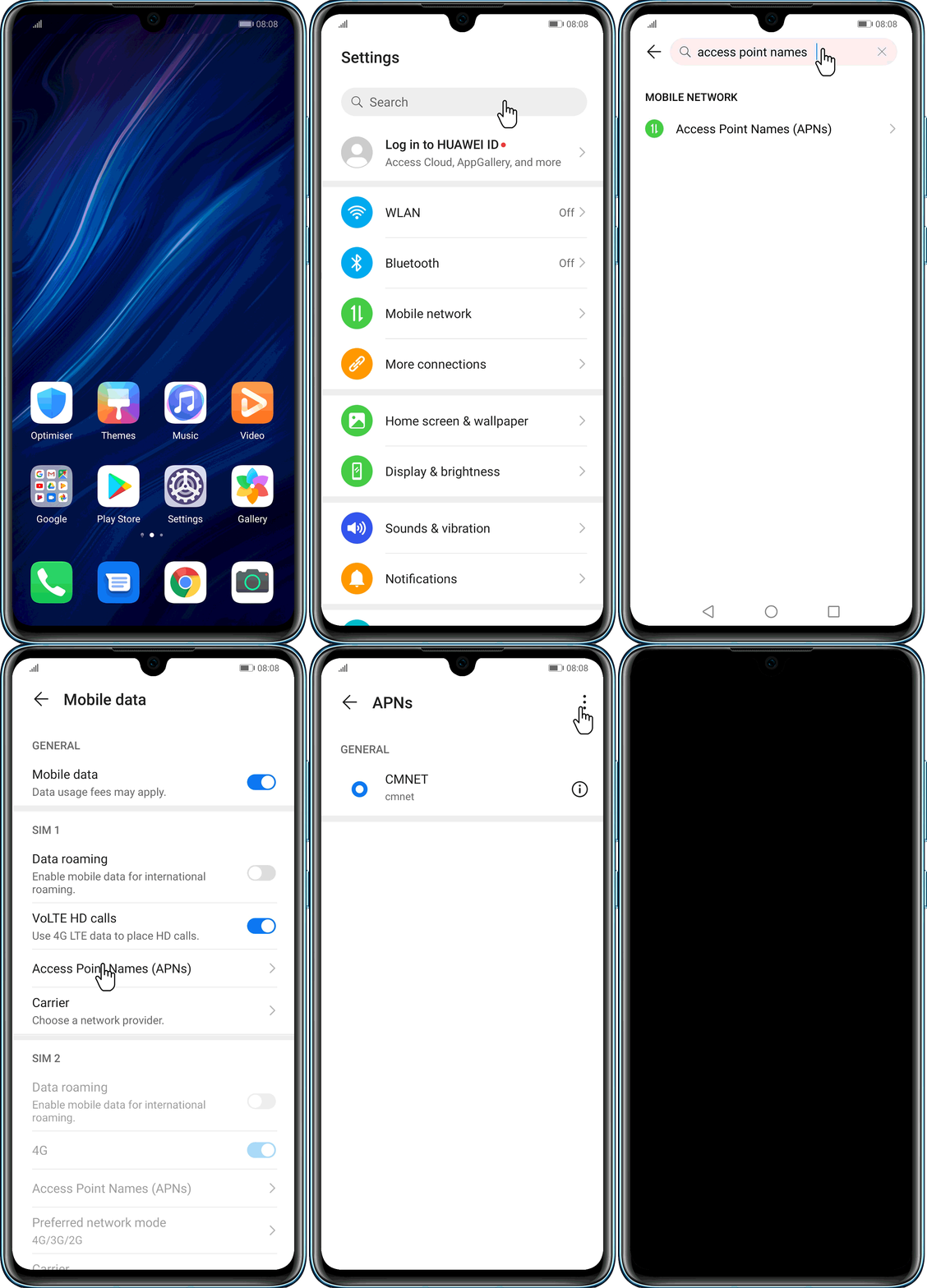
Method 1
- Open Settings.
- Search for Access Point Names from the search bar at the top of Settings.
- Tap the
 icon at the top of the screen.
 - Tap Reset to default.
Method 2
(Considering the different versions, EMUI 10.X & Magic 3.X are used as an example.)
- Open Access Point Names by going to .
- Tap the
 icon at the top of the screen.
 - Tap Reset to default.
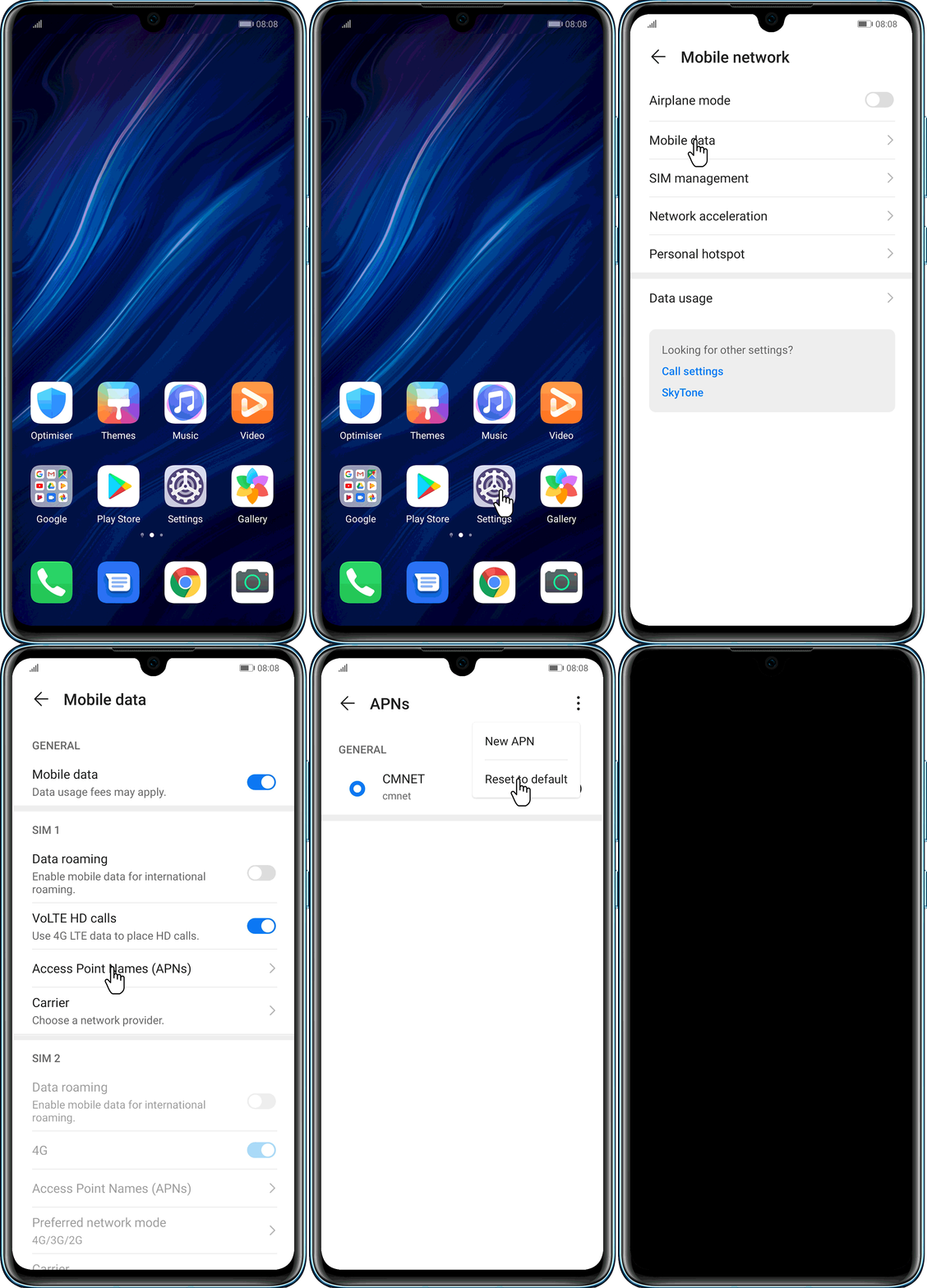

For EMUI 8.X & 9.X & Magic UI 2.X, go to the following path:
Settings > Wireless & networks > Mobile network > Access Point Names >  > Reset to default
Thanks for your feedback.